SPFx 1.24 Beta 2: Extending MyScoreCard Agent with MCP Servers
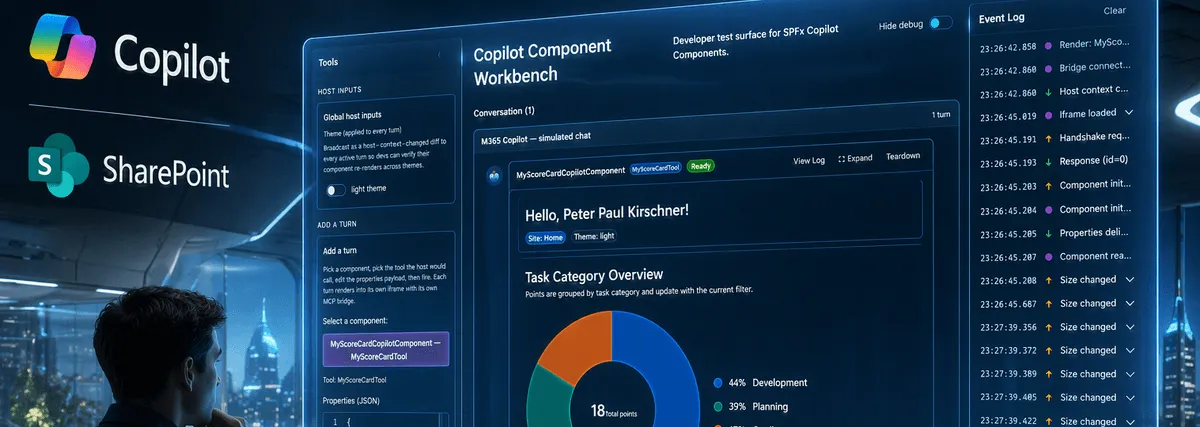
After building the SharePoint Copilot App itself and then tightening the Zod input contract, the next obvious question showed up very quickly.
Can this thing also reach beyond the scorecard and use MCP servers?
Short answer: yes.
And that is exactly where this starts to get fun.
My current sample already had a good local UI story through the scorecard component. But I wanted the same agent to also answer official Microsoft documentation questions, Astro questions for my blog setup, and one very practical demo topic for right now: live football data while the World Cup is running.
So I built the next step as an agent package around the scorecard idea:
- MyScoreCard as the SPFx visualization action
- Microsoft Learn MCP for trusted docs
- Astro Docs MCP because this blog is built with Astro
- A live score MCP server for sports data
The Interesting Part
What I like here is that this is not a separate mental model.
Most of what is explained in Lab E1B: Declarative Agent Foundation with Agents Toolkit still applies cleanly even when the actual app surface is an SPFx-based Copilot experience.
That lab focuses on the declarative agent foundation:
- project structure
- manifest wiring
- instructions
- conversation starters
- provisioning and testing
- versioning when the manifest changes
For me, the important realization was this: all of that is still useful in SPFx scenarios. The UI can be SPFx, but the surrounding agent contract is still a declarative Copilot package.
The Package Structure
In my sample, the relevant files live in a small copilot folder:
copilot/
  ai-plugin.json
  declarativeAgent.json
  instruction.txt
  manifest.json
That is already enough to show the split of responsibilities:
manifest.jsondefines the Teams and Copilot package metadatadeclarativeAgent.jsondefines the agent behavior and conversation startersinstruction.txttells the model how to route requestsai-plugin.jsondescribes the scorecard action in human and model terms
This is very close to the style shown in the Copilot Camp lab. The difference in my case is that the agent is not just a knowledge assistant. It also has a real SPFx experience behind one of its actions.
Where MCP Actually Enters the Picture
The key change is in manifest.json.
That is where I added agentConnectors.
"agentConnectors": [
  {
    "id": "learn-mcp-server",
    "displayName": "Microsoft Learn MCP Server",
    "description": "Provides trusted Microsoft Learn docs and code sample tools.",
    "toolSource": {
      "remoteMcpServer": {
        "mcpServerUrl": "https://learn.microsoft.com/api/mcp",
        "authorization": {
          "type": "None"
        }
      }
    }
  },
  {
    "id": "astro-docs-mcp-server",
    "displayName": "Astro Docs MCP Server",
    "description": "Provides Astro documentation context and tools.",
    "toolSource": {
      "remoteMcpServer": {
        "mcpServerUrl": "https://mcp.docs.astro.build/mcp",
        "authorization": {
          "type": "None"
        }
      }
    }
  },
  {
    "id": "livescore-mcp-server",
    "displayName": "LiveScore MCP Server",
    "description": "Provides live sports score tools over MCP.",
    "toolSource": {
      "remoteMcpServer": {
        "mcpServerUrl": "https://livescoremcp.com/sse",
        "authorization": {
          "type": "None"
        }
      }
    }
  }
],
"validDomains": ["learn.microsoft.com", "mcp.docs.astro.build", "livescoremcp.com"]
That is the real extension point.
The SPFx scorecard action stays in place. But the agent now also knows about three remote MCP sources it can use for other kinds of questions.
The extra validDomains entries are also important. If you add remote endpoints, you should make the domain story explicit in the package instead of pretending it will sort itself out later.
The SPFx Action Stays the Centerpiece
I did not want MCP to replace the scorecard. I wanted MCP to extend it.
That is why the declarative agent still keeps the scorecard action and only adds broader conversation starters around it.
{
  "name": "MyScoreCard Agent",
  "description": "An assistant that visualizes team task scorecards and can also answer documentation and live-score questions via MCP connectors.",
  "conversation_starters": [
    {
      "title": "Show Scorecard",
      "text": "Show a scorecard for planning tasks with points higher than 3."
    },
    {
      "title": "Search Microsoft Learn",
      "text": "Find official Microsoft Learn guidance for SPFx Copilot components."
    },
    {
      "title": "Astro Docs Help",
      "text": "Find Astro documentation for content collections and routing."
    },
    {
      "title": "Live Scores",
      "text": "Get the latest live football scores."
    }
  ],
  "actions": [
    {
      "id": "myScoreCardAction",
      "file": "ai-plugin.json"
    }
  ]
}
This is the part I find especially useful.
The agent does not lose its product identity. It still has one clear business UI action. MCP just broadens what the same agent can help with.
Instructions Matter More Than the Connector List
Just adding connectors is not enough.
The model still needs clear routing guidance. That is why instruction.txt matters so much.
In my sample, I kept the rules simple:
Tool-routing policy:
- Use the MyScoreCard action when the user asks for task summaries, filters, categories, points analysis, or scorecard visualization.
- Use Microsoft Learn MCP for Microsoft and Azure documentation, official guidance, and code sample lookups.
- Use Astro Docs MCP for Astro framework documentation questions.
- Use LiveScore MCP for live sports scores and match updates.
That is one of the biggest lessons from the lab material as well.
The manifest can tell Copilot what exists. The instructions tell Copilot when to prefer which thing.
Without that second part, the package becomes much less predictable.
Why These Three MCP Servers Made Sense for Me
I did not pick the connectors randomly.
Each one represents a different category of extension:
- Microsoft Learn MCP for trusted official documentation on Microsoft topics
- Astro Docs MCP for framework guidance that matches how this blog is actually built
- Live score MCP for real-time external data that is easy to verify during testing
And yes, the football piece is a bit playful, but it is also a good test.
If the same agent can show my scorecard, answer SPFx documentation questions, help with Astro content-collection details, and return live match updates, then the boundaries between app experience and connected tools become much more interesting.
What From Lab E1B Transfers Cleanly into SPFx
The Copilot Camp lab is not about SPFx specifically, but several ideas transfer almost one-to-one.
1. Start with a clean declarative package
The lab uses a small agent package with clear files. That same structure works very well when the final experience includes an SPFx Copilot component.
2. Treat instructions as product behavior
instruction.txt is not filler text.
It is part of the runtime behavior. In my sample, it decides when the scorecard action should be used and when an MCP connector is the better source.
3. Use conversation starters to test intent boundaries
The starter prompts in my agent are not just for show.
They are also a compact test set:
- render a scorecard
- search Microsoft guidance
- ask an Astro question
- request live football scores
That gives me a very quick way to validate routing behavior after provisioning.
4. Remember manifest versioning
One very practical point from the lab is still true here: when you change agent metadata, capabilities, or wiring, bump the manifest version before reprovisioning.
That sounds small, but it saves confusion.
How I Demo This Agent
If I were showing this to someone live, I would use four prompts in a row:
- “Show a scorecard for planning tasks with points higher than 3.”
- “Find official Microsoft Learn guidance for SPFx Copilot components.”
- “How do Astro content collections and routing work?”
- “What are the latest live football scores?”
That sequence makes the architecture visible very quickly.
The first prompt should favor the SPFx scorecard action.
The second and third should prefer MCP-backed documentation sources.
The fourth should call the sports MCP connector.
And that is exactly the behavior I wanted to explore.
Why I Like This Direction
For me, this is where SharePoint Copilot Apps stop looking like isolated UI islands.
They can become one capability inside a broader agent experience.
The SPFx part gives me the tailored business UI. MCP connectors give me trusted external tools and context. The declarative agent package ties those pieces together.
That combination feels much closer to how real solutions will probably evolve.
Not one giant agent that does everything badly.
Not one tiny UI component that knows nothing outside itself.
But a focused business experience that can still reach the right external tool when the question leaves its own local domain.
Takeaway
If you already work through Lab E1B: Declarative Agent Foundation with Agents Toolkit, do not think of it as unrelated to SPFx.
You can reuse that same declarative agent foundation around an SPFx Copilot component.
In my case, that meant keeping MyScoreCard as the main visual action and extending the agent with Microsoft Learn MCP, Astro Docs MCP, and a live score MCP server.
That gave me one agent with a real business UI, official documentation reach, framework guidance for my Astro blog, and a fun real-time sports demo while the World Cup is running.
Update: CopilotComponent now also has an extra lab in the Copilot Dev Camp.